
UPDATED REEL: MONTHS IN THE MAKING
This video has been a couple of months in the making, and is a pretty good summary of the last 18 months of stuff I've been working on. I've been really lucky to work with some great local bands on music videos, some local and not so local companies, many individuals and it's been great editing this to look back and think of the memories created on each shoot. It also features my new logo created by instagram.com/andybarnard_/ which I'm super happy with.
Feel free to share this around and flick me a message if you're keen to work together on something!
Also, the music is Stealth Mammoth by Sky Canvas 🔥
PORTRAIT MODE: THE END OF COMPACT CAMERAS?
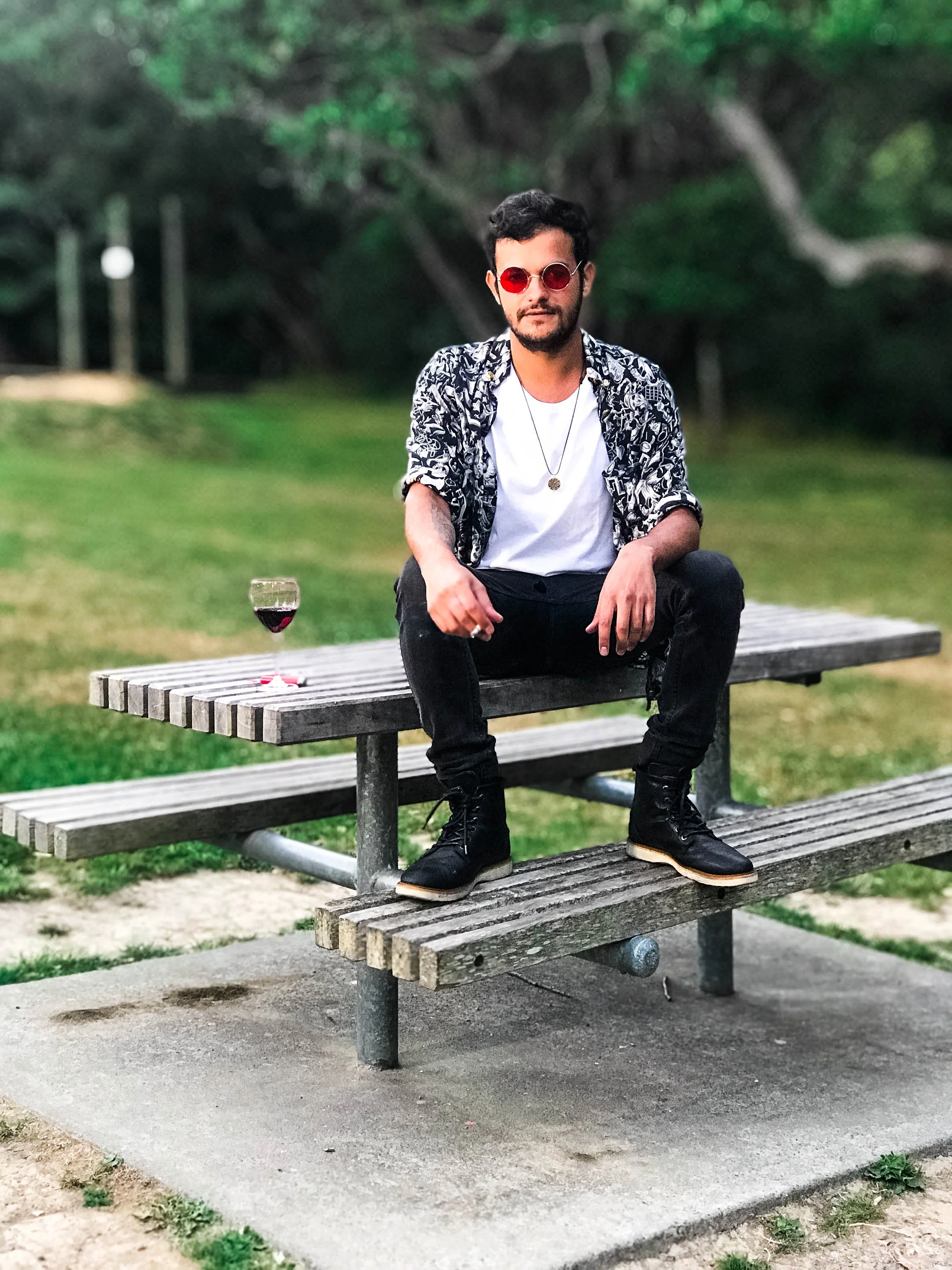
It seems like having dual cameras on your phone has become almost the norm nowadays, but many people don’t even know that they are there, let alone why. However, I believe that Portrait Mode is an incredible tool for the modern photographer to promote themselves - particularly on instagram.
BEN STEWART

It seems like having dual cameras on your phone has become almost the norm nowadays, but many people don’t even know that they are there, let alone why. However, I believe that Portrait Mode is an incredible tool for the modern photographer to promote themselves - particularly on instagram.
Portrait Mode is what Apple calls their artificial shallow depth of field tool in the camera app, although many other phones also have a similar feature. It uses the dual lenses on the back of the phone to approximate distance information of the subjects in the frame, and calculate how much to blur the background based on that. I use a third party app called Focos, which uses the Portrait Mode engine but gives you more control over the amount of bokeh, lets you focus after the fact and gives you a few other tools.
With the right conditions, you can create great photos with your phone, and continue your photography brand’s high quality image from your phone.
I use this all the time when I’m at an interesting place or on an interesting job, for example a food photoshoot. I’ll take a quick photo, then edit it and put it up as an instagram story. These posts usually grab people’s attention as most other stories are low quality shaky videos or directionless snapshots.

The Sky Tower in Auckland, New Zealand
Here’s the sort of photo I’d use if I was on a food shoot, with a picture of my camera and a caption saying what I’m doing, encouraging engagement.
I’ll leave you with a challenge I did with fellow photographer Will H Cho on the set of a music video we were working on (coming out soon…), where we took the same photo with his Mamiya Medium format film camera, and my iPhone. Here are the two photos, let me know if you can see the difference! (Full disclosure, I edited the iPhone photo to match colour-wise.)


Using a Playstation Controller for Lightroom Editing
This is a video I made a while back about the workflow using a Playstation controller to edit my photos in bulk in Adobe Lightroom - take a look!
PHOTOSHOP VS LIGHTROOM AS A PHOTOGRAPHER
BEN STEWART
I’ve had a lot of people asking me whether I use Photoshop or Lightroom the most as a photographer, and I thought I’d write a piece on my workflow in relation to these two programs. But first a quick disclaimer; this is just my workflow, and doesn’t necessarily represent all working photographers - feel free to leave a comment if your workflow is similar, or wildly different!
I personally see Lightroom as a much more photography oriented tool, and Photoshop as more of a design/creative tool to complement and augment your images with other elements.
MY LIGHTROOM WORKFLOW
Lightroom is where I do the majority of my photo culling and editing, due to the speed and ease of use. My process is to copy all the photos from a given job into a folder on my hard drive then using Lightroom, mark photos worth importing using P and X on the keyboard.

An example of a photo edited just in Lightroom:
Then once these photos are imported, I’ll usually edit one of them with basic adjustments - for example a little bit of noise reduction if it’s a darker event, and perhaps lens profile corrections or a preset. I’ll then select all the photos and sync them. This makes editing much quicker if I know I was going to do that adjustment to all the photos anyway.
Once that is done, then I’ll go through each photo and do all my minor adjustments such as white balance, exposure correction and perhaps cropping. This is where Photoshop then comes in:
MY PHOTOSHOP WORKFLOW
If something more intensive needs to be done to a photo such as spot removal, cloning or more dramatic editing, I will often click Cmd + E which opens the photo I have selected into Photoshop (Ctrl + E on Windows).
For most of my event work I won’t ever enter Photoshop, however in a food shoot if there is a little bit of dust on the table that I want to tidy up or if there’s a tiny bit of soup spilling down the side of a bowl I might clean that up in Photoshop. I also use Photoshop much more if I’m doing a commercial shoot where the backgrounds need to be perfectly white.

Lamp photo for Zamm Lights
An example is recently when I was photographing these lamps for Zamm Lights, and I had to make a composite of the lamps looking like they were turned on while still being lit by my lights:
If I’m working on something more creative such as an album cover/music shoot or a portait shoot, sometimes I’ll take that into photoshop to get more control over the colours of the image, or if I’m going to do something like a Brenzier Method panorama (Comment if you’d like me to do a blog post on this later on!).
I will also often use Photoshop for creating posters/design images, as it is a great program to work with text and colours in.
I hope you have found this helpful in understanding the difference between Photoshop and Lightroom, please feel free to leave a comment on your own workflow!
Ben Stewart is a Wellington based photographer specialising in events, food and portrait photography. You can check out his previous work here, and book him here!
HOW TO GET THE MOST OUT OF YOUR 21ST PHOTOGRAPHER?
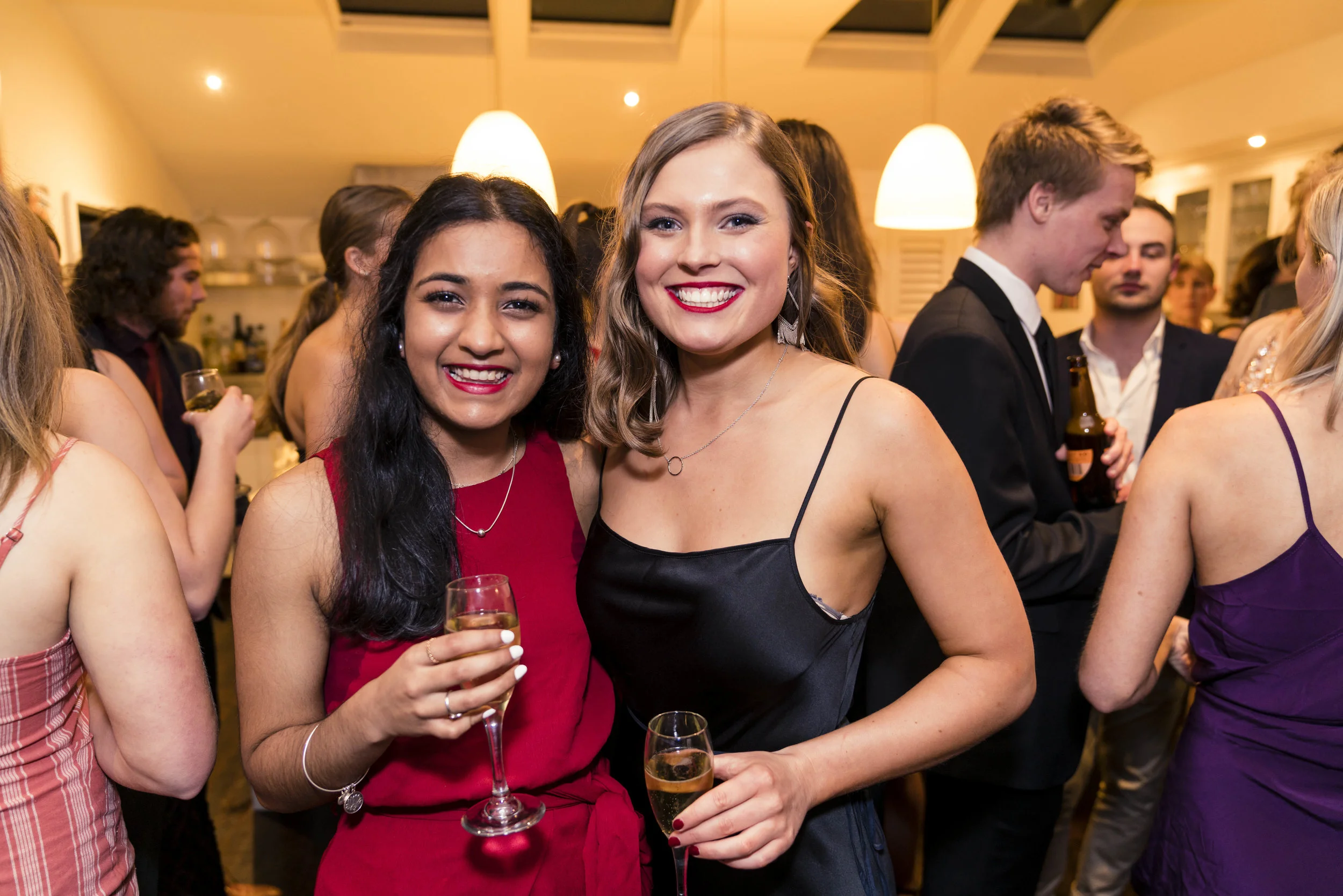
The 21st birthday is a rite of passage for many young people. It is a chance to reflect on life so far, to catch up with friends and relatives, and to get some great photographs of a special night.
BEN STEWART
The 21st birthday is a rite of passage for many young people. It is a chance to reflect on life so far, to catch up with friends and relatives, and to get some great photographs of a special night.
Recently I've been lucky enough to photograph a lot of 21st birthday parties, and I've noticed some things that can really help make your photos special.

One thing that makes great photos is a great backdrop. This can be very simple, like some fairy lights or 21st balloons, or it can be a beautiful floral affair. I believe the most important thing for a backdrop is to be big enough for groups to stand in front of - this may sound simple but it is very easy to underestimate the size of a backdrop! Having a backdrop gives people somewhere specifically to get photos taken, and means the photographer can make your photos unique. You can also use the backdrop for phone photos/polaroids on the night!
This backdrop can also double as the location for speeches, which can make for some really great photos too.


This may sound like a strange request, but it can really make a difference for your photographer.

Many photographers use a flash, and if they can bounce the light off a white ceiling then it will result in much more flattering lighting for you and your friends. Of course without a white ceiling I can still do my job, but the light will be more direct as opposed to bounced.

If you have booked a photographer from 7pm until 10pm, don't wait until 9:55 to start speeches!

If you plan your evening ahead of time and let the photographer know at the beginning of the event, then you won't have to stress about making decisions throughout the night. This can be as simple as saying what time you would like to do speeches and cake cutting, and where this will take place. The photographer can also make sure they are in position to capture the moments at the right time, and the night can go more seamlessly.

The most important thing to do at a 21st is to have fun, and let the photographer do their work behind the scenes! The best photos come out when everyone is having a great time, so don't stress too much about every little detail going perfectly.
I hope this has been helpful to you, and gives you more of an idea of what to expect from your photographer.
Ben Stewart is a Wellington based photographer specialising in events, food and portrait photography. You can check out his previous work here, and book him here!
First Blog Post!
So this is my first post! I hope I can keep the stamina to keep this blog updated... I'll just be detailing here what I've been working on recently, and my general ideas on photography/film that I've been thinking about recently.
This week has been quite a quiet week shooting wise, I just photographed an event on the Wellington waterfront for the Massey Nursing School. I've also been busy getting the Christmas Cards ready to ship off all over the country, they're a lot more popular than I expected! You can order some for yourself here:
I also made this video with Will H Cho about our experiences competing in the HP 48hours festival this year:
Hopefully during the summer I can keep doing interesting things film and photography related, flick me a message if you've got anything cool happening! You can find me on Facebook or email me at ben.jm.stewart@gmail.com
Previous Posts
Ben Stewart
Is a photographer based in Wellington, New Zealand.
Ben has experience photographing a wide range of genres from portraiture to commercial and brings his full expertise and enthusiasm to every project he undertakes.